 We know how busy your days can be – with daily standups, appointments, conference calls, and other meetings cluttering your schedules at work. Your Google Calendar probably looks like a multi-colored palette of all the day’s happenings, and you’re struggling to find ‘white space’! Have no fear – your savior is here. With the “Find a time” feature on Google Calendar, you can easily schedule a meeting time that accommodates all your co-workers’ schedules, too.
Showing posts with label Google Apps. Show all posts
Showing posts with label Google Apps. Show all posts
Friday, January 9, 2015
5 Tips on Using Google Apps for Meetings
As technology continues to change how we work, one of the main holdovers refuses to go away. While meetings undoubtably serve a very important purpose, many people find themselves wasting time and desperately searching for alternatives. Fortunately for you, Google Apps provides a ton of options for improving the meeting experience from the planning / scheduling phase to the follow-up. Check out 5 of our favorite tips designed to save you time and let us know in the comments what you do to save time in meetings!
 We know how busy your days can be – with daily standups, appointments, conference calls, and other meetings cluttering your schedules at work. Your Google Calendar probably looks like a multi-colored palette of all the day’s happenings, and you’re struggling to find ‘white space’! Have no fear – your savior is here. With the “Find a time” feature on Google Calendar, you can easily schedule a meeting time that accommodates all your co-workers’ schedules, too.
We know how busy your days can be – with daily standups, appointments, conference calls, and other meetings cluttering your schedules at work. Your Google Calendar probably looks like a multi-colored palette of all the day’s happenings, and you’re struggling to find ‘white space’! Have no fear – your savior is here. With the “Find a time” feature on Google Calendar, you can easily schedule a meeting time that accommodates all your co-workers’ schedules, too.
Wednesday, April 30, 2014
OK Google to expand across Android OS: Report

NEW DELHI: The 'Ok Google' voice command that launches the Google Search app from the homescreen on phones with the Google Now launcher and from the Google Now screen on other smartphones, will reportedly be extended to core Android apps.
According to Android Police, users will be able to perform certain actions through the voice command 'Ok Google,' inside core Android apps like Photos and Gmail. For instance, they'll be able to share images through voice commands within the Photos app or reply to emails inside the Gmail app by simply saying 'Ok Google.' Apps that support the feature may sport a red coloured round button with the letter 'g' in lower case denoting the functionality.
The report doesn't mention the source of the information but claims that the project is being actively worked on. The feature may be available only on Google experience devices like Nexus 5 and Nexus 7. The website has also posted mock-ups of the activation screen of "Ok Google" everywhere.
ORIGINAL ARTICLE from timesofindia.com
Saturday, April 19, 2014
Google Trends Debuts Email Notifications For Search Topics, Hot Searches And More

Google Trends, the informative resource that shows you what’s currently popular around the web right now in and in the recent past, now offers email subscriptions, Google announcedthis morning. The new feature will allow you to subscribe to any search topic, plus Hot Searches for any country, or any U.S. monthly Top Chart, says Google via a blog post detailing the feature.
However, though Google Trends itself is a real-time data provider, letting you see what people are searching for at this very moment, the subscriptions feature is not always a real-time alerting service. Instead, when you go to create your first subscription for a topic you specify, after selecting the search term and country, you can then set your emails to arrive either “about once a week” or “about once a month.” (The company notes that the “how often” designation is only a rough estimate, and will vary between topics and over time.)
In other words, that feature is designed more for keeping up on news you’re interested in, by allowing you to more passively receive updates on a fairly regular schedule, but not necessarily getting the information the minute it arrives.

Monday, April 7, 2014
Google's Plan To Bridge Chrome, Android, And Search To Do Everything On Your Device
Occasionally, an OS update will bring around features that really change things. Android 3.0 brought the Android experience to tablets. 4.0 completely revamped the UI and added guidelines that made Android look cohesive for the first time. 4.4 added Svelte, which promised to seat Android comfortably on an even broader range of devices. We have reason to believe another one of those changes is right around the corner, and it's known internally as Hera.
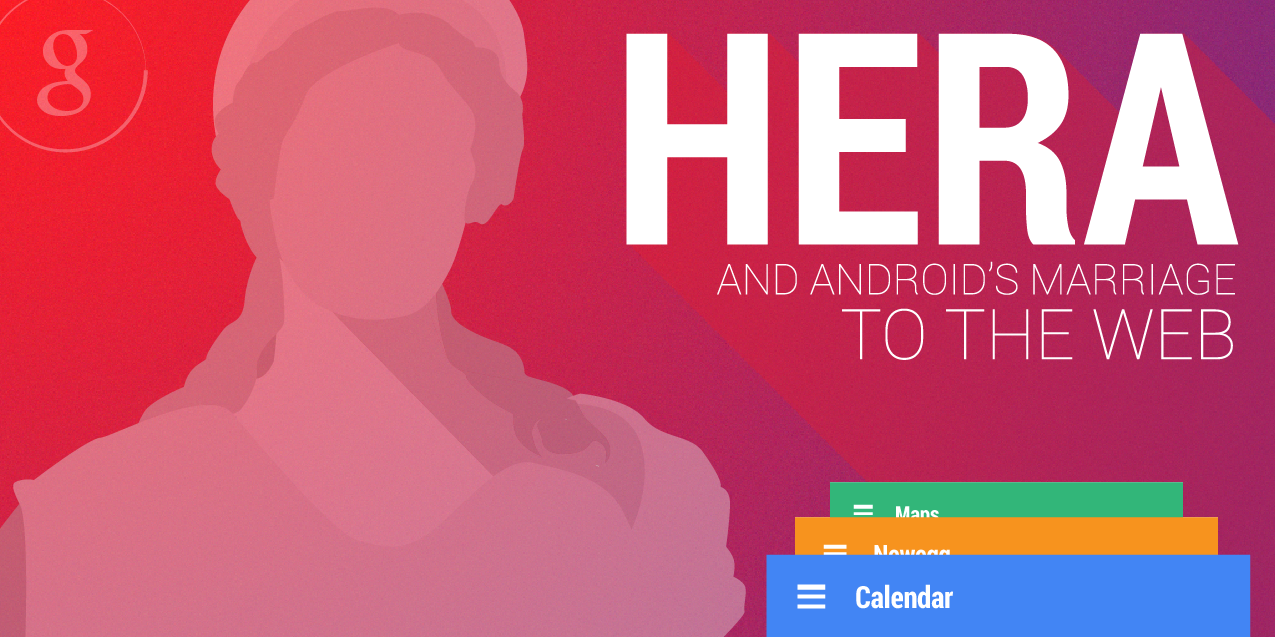
We feel confident in this rumor, but we'll take the same approach we always do - a brief breakdown of our confidence level, the rumor itself, the evidence, and any other thoughts. Since this rumor is a little more complex than past rumors, we'll combine "The Rumor," with the Evidence section, as some concepts should be seen and discussed at the same time. Remember that often, with pre-release software, we cannot show source materials, but we do our best to faithfully mock up the functionality and interface.
READ FULL ARTICLE for examples and how Google may integrate all devices, from


Quick Links Lab for Gmail
The Quick Links Lab for Gmail has been around for a few years, but it’s still an underused feature. If you frequently find yourself searching for the same email, then Quick Links might be the perfect Lab for you.
Quick Links lives inside your Gmail inbox, and can actually be found in the same place as Chat, directly below the label list. It’s a great place to store all of the emails, searches and settings links that you visit on a daily basis.
For example, instead of searching for ‘Exchange to Google Apps Migration’ and sifting through dozens of emails, I can create a Quick Link. We’re all looking for ways to save time in Gmail, and a Quick Link is a great tool to use.
Original Article from 
Saturday, April 5, 2014
Google Calendar Changes Simplify Event Management
Google has updated its Google Calendar API to make it easier for business users to schedule or reschedule employee activities.
Google has just made improvements in its Google Calendar API that make it easier for enterprises to schedule employee activities more accurately through new "event IDs," which are used to help differentiate different activities.
By incorporating this change, businesses will have an easier time managing calendars for multiple employees because the changes will be directly highlighted through an event ID, rather than through an internal database that previously managed activity changes, wrote Lucia Fedorova, the tech lead of the Google Calendar API Team, in a March 19 post on the Google Developers Blog. - See more at: http://www.eweek.com/cloud/google-calendar-changes-simplify-event-management.html/#sthash.WyOUY63J.dpuf
Google has just made improvements in its Google Calendar API that make it easier for enterprises to schedule employee activities more accurately through new "event IDs," which are used to help differentiate different activities.
By incorporating this change, businesses will have an easier time managing calendars for multiple employees because the changes will be directly highlighted through an event ID, rather than through an internal database that previously managed activity changes, wrote Lucia Fedorova, the tech lead of the Google Calendar API Team, in a March 19 post on the Google Developers Blog. - See more at: http://www.eweek.com/cloud/google-calendar-changes-simplify-event-management.html/#sthash.WyOUY63J.dpuf
READ MORE from 
Monday, March 31, 2014
Gap Shrinks Between PCs and Mobiles with Google Now Release
Google has moved the PC one step closer to becoming a smartphone-like digital assistant with the addition of the personalised data card service Google Now to Chrome browsers. Google Now was previously only available as part of the Android and iOS Google Search Apps.
Google Now was a “predictive search” engine that remembers calendar appointments, weather updates for the home and work area via GPS, customised sports scores and transport previews to and from work and home addresses.
Google Now could also answer natural-language spoken questions such as “Where is the nearest pub?” and a map and directions to nearby pubs appeared, much like Apple’s Siri.
Features to be rolled out over the next few weeks included the option to configure Gmail, Google Drive and Hangouts alerts.

Thursday, March 27, 2014
Tips For Searching Google Docs
Once you get into Google Drive you will in all likelihood end up with many, many documents and folders in your drive. Luckily, Google provides plenty of tools in Drive to help you find what you need.
READ FULL ARTICLE from Drive Bunny

READ FULL ARTICLE from Drive Bunny
There is a familiar-looking search bar at the top of the Drive homepage, from which you can perform a keyword search. Remember that when you perform a search in Google Drive you are searching the whole document, not just the filename. It will even use OCR technology to try to interpret the contents of things like images and PDF files.
To the right of the search bar is a down-pointing triangle. Click on it to bring up many more options for filtering your search by file type, visibility or ownership:
Sunday, March 23, 2014
10 important URLs that every single Google user needs to know

https://accounts.google.com/SignUpWithoutGmail — Create a Google account with your current email address instead of making a new gmail.com address.
https://www.google.com/ads/preferences — View and edit your profile within Google’s system as it relates to advertising (you can also opt out of interest-based ads here).
https://www.google.com/takeout — Use this link to export all of your data contained within the Google ecosystem, including emails, photos and YouTube videos.
https://support.google.com/legal — This URL will let you file a complaint in the event you find your content being used without permission on a Google website.
https://maps.google.com/locationhistory — This is exactly what you think it is, your location history if you use an Android phone or the Google Now iOS app.
https://history.google.com — Your entire search history; make a pot of coffee before you start digging.
https://www.google.com/settings/account/inactive — If you have unused Gmail accounts, use this to ensure that Google doesn’t delete them after extended periods of inactivity.
https://security.google.com/settings/security/activity — Think someone might have gained unauthorized access to your account? This is your first stop.
https://security.google.com/settings/security/permissions — Here is a complete list of all Web, mobile and desktop apps that can access your data.
https://admin.google.com/YOURDOMAIN/VerifyAdminAccountPasswordReset — A link to reset your Google Apps password if your account is ever hacked (replace “YOURDOMAIN” with your URL, including the top-level domain).
FULL ARTICLE from BGR
Monday, March 17, 2014
How to Use Google Drive’s New Add-ons in Google Docs and Spreadsheets
When a user logs into their Google Drive account and creates a new Document or Spreadsheet (see image below) the new Add-ons menu will show up next to the Help menu towards the right side. Add-ons already installed will also show up under that menu too.
Google’s rolling the new feature out incrementally, so not everyone will see it. Also seeing the new menu item in one app doesn’t mean it will show up in another other app right away. For example, my account shows it in Google Documents, but not in Google Spreadsheets yet.
READ FULL ARTICLE from
Google’s rolling the new feature out incrementally, so not everyone will see it. Also seeing the new menu item in one app doesn’t mean it will show up in another other app right away. For example, my account shows it in Google Documents, but not in Google Spreadsheets yet.
READ FULL ARTICLE from
Sunday, March 16, 2014
Search Google Drive from the Chrome Omnibar
If you browse using Google Chrome (and if not, why not?) you can use the browser to search your Google Drive files just as you would use any other search engine.
To get started, right click on the Omnibar (Chrome address bar) and choose Edit Search Engine… from the menu. This opens a settings page for search engines used by Chrome.

Subscribe to:
Posts (Atom)